Microsoft 365 Keeps Your Business Running. But Who Protects Your Data?
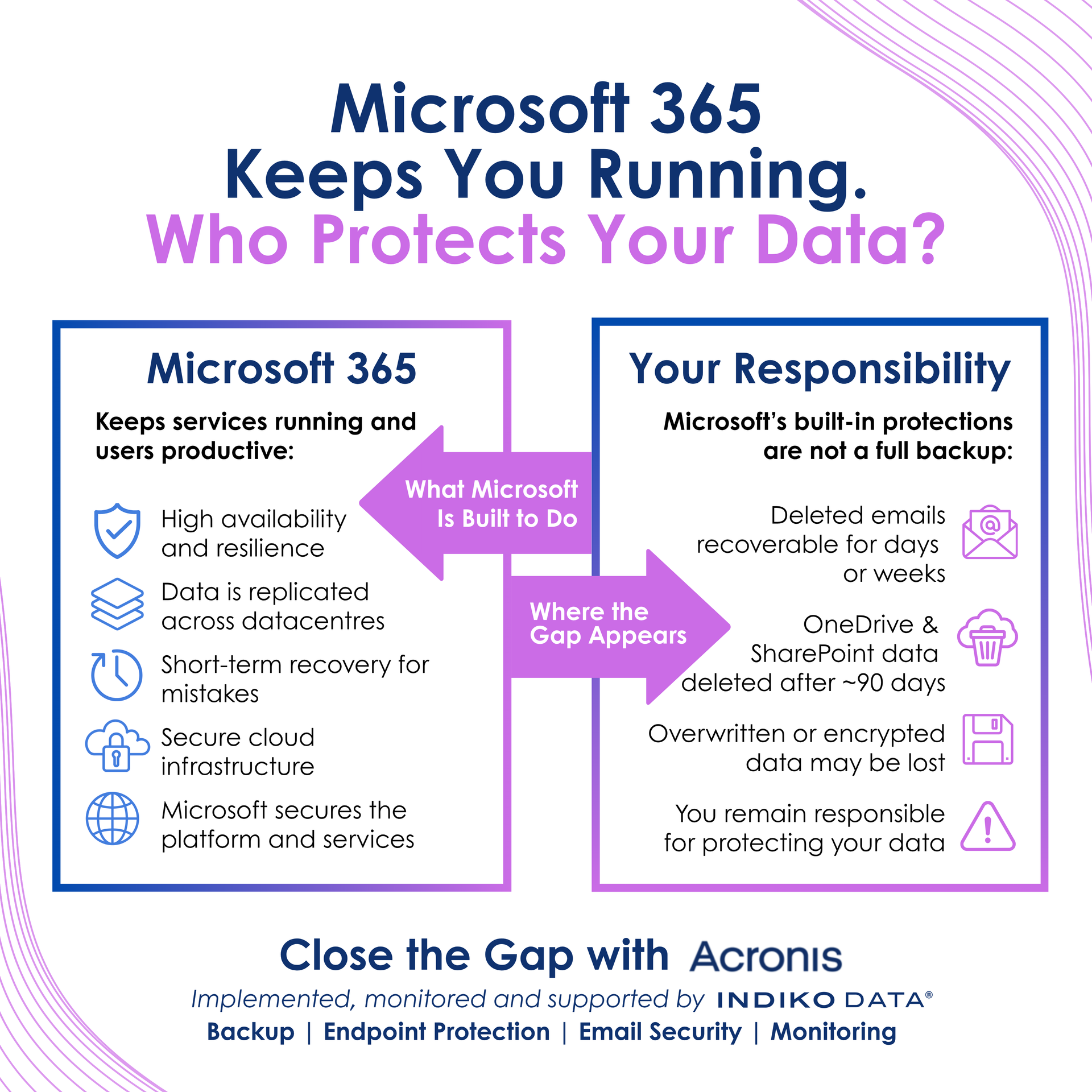
Understanding the Difference Between Availability and Backup
Microsoft 365 has become the backbone of modern business.
It keeps employees connected, enables collaboration, stores critical business information, and provides the tools organisations rely on every day. For many businesses, if Microsoft 365 stopped working, operations would quickly grind to a halt.
Because Microsoft 365 is such a reliable platform, many organisations assume their data is automatically protected forever.
But there's an important distinction that often gets overlooked:
Keeping services available and protecting your data are not the same thing.
What Microsoft 365 Is Designed to Do
Microsoft invests heavily in keeping Microsoft 365 available, resilient, and secure.
The platform is designed to provide:
- High availability and service continuity
- Data replication across Microsoft's infrastructure
- Protection of the underlying platform
- Short-term recovery capabilities for certain scenarios
This ensures users can continue working and accessing services when they need them.
However, Microsoft's responsibility is primarily focused on delivering and maintaining the service itself.
Where Many Organisations Get Caught Out
Problems often arise when important business data is deleted, overwritten, corrupted, or encrypted.
Examples might include:
- An employee accidentally deleting a folder
- Important files being overwritten
- Data being lost after a malicious attack
- An account compromise leading to unwanted changes
- Data retention periods expiring
In these situations, organisations often discover that platform resilience is not the same as having an independent backup strategy.
Simply because data existed within Microsoft 365 yesterday doesn't necessarily mean it will always be available when needed in the future.
Why Backup Still Matters in a Cloud-First World
There's a common misconception that moving to the cloud removes the need for backup.
In reality, backup remains just as important as it was for on-premise environments.
The difference is that the risks have changed.
Today, organisations need to consider:
- Accidental deletion
- Malicious actions
- Ransomware attacks
- Insider threats
- Retention limitations
- Compliance requirements
A robust backup strategy provides an independent copy of data that can be recovered when things go wrong.
The goal isn't simply to keep systems running.
It's to ensure critical business information remains recoverable when it's needed most.
Why Data Protection Is About More Than Backup
While backup is a key part of protecting Microsoft 365, it's only one piece of the puzzle.
Modern organisations face threats from multiple directions.
Protecting business data also means addressing:
- Cybersecurity threats
- Email-borne attacks
- Endpoint compromise
- User awareness and behaviour
- Ongoing monitoring and management
Focusing on backup alone can leave gaps elsewhere in the environment.
The strongest approach combines prevention, detection, protection, and recovery into a single strategy.
The Indiko Data Acronis Bundle
This is why we created the
Indiko Data Acronis Bundle.
Rather than addressing each challenge with a separate product, the solution brings together multiple layers of protection into one fully managed service.
The bundle includes:
Microsoft 365 Backup
Independent backup and recovery for Microsoft 365 data, helping organisations maintain access to important information when recovery is required.
Endpoint Protection
Advanced protection for business devices to help defend against modern cyber threats.
Email Security
Additional protection against phishing, malware, and malicious email activity before threats reach users.
Monitoring & Management
Continuous monitoring and proactive management to help identify issues before they become major problems.
Security Awareness Training
Helping users recognise common threats and improve security behaviour across the organisation.
Moving from Reactive to Proactive Protection
One of the biggest challenges for SMBs is managing multiple security tools and services while still delivering day-to-day IT support.
By bringing backup, protection, monitoring, and awareness together, organisations can simplify their approach to cybersecurity and data protection.
Rather than reacting after something goes wrong, businesses can take a more proactive approach to reducing risk and improving resilience.
Final Thought
Microsoft 365 is an outstanding platform for productivity and collaboration.
But availability and backup are different things.
The real question isn't whether Microsoft 365 keeps your business running.
It's whether you have the right protections in place if something happens to the data your business depends on.
A strong data protection strategy should combine backup, security, monitoring, and user awareness to help ensure your organisation is prepared for whatever comes next.
At Indiko Data, we help organisations strengthen Microsoft 365 protection through our fully managed Acronis Bundle, combining backup, endpoint protection, email security, monitoring, and security awareness training in one simple solution.
If you'd like to understand how well your Microsoft 365 environment is protected,
get in touch with the team and we'll be happy to help.